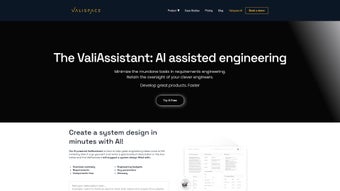

Download Valispace – AI-Powered Systems Engineering Software for Engineers
Streamlining Engineering with ValiAssistant: A Game-Changer for Systems Engineers
Valispace is redefining how engineering teams approach complex system design through its innovative integration of artificial intelligence and model-based systems engineering (MBSE). At the heart of this transformation is ValiAssistant, an intelligent AI tool designed to revolutionize the requirements engineering process. Traditionally, engineers spend significant time translating vague, informal descriptions into precise, formal specifications—a tedious and error-prone task. ValiAssistant eliminates this bottleneck by leveraging natural language processing (NLP) to convert high-level ideas into structured, traceable requirements with remarkable accuracy.
Imagine describing a component’s capability in plain language—say, “the battery should last at least 12 hours under normal usage.” ValiAssistant doesn’t just parse this; it refines it into a formal requirement with defined parameters, units, and validation criteria. It can even suggest optimal values based on historical data and system constraints. This not only accelerates the initial drafting phase but also ensures consistency across documentation and models.
What sets ValiAssistant apart is its dynamic nature. As designs evolve, so do the requirements. The tool automatically updates linked calculations, simulations, and downstream models whenever a requirement changes, maintaining full traceability throughout the development lifecycle. This capability is crucial in regulated industries like aerospace and automotive, where compliance and audit readiness are non-negotiable. With Valispace, engineers aren’t just managing documents—they’re building a living, breathing digital twin of their system, where every decision is documented, validated, and interconnected.
Advanced Features That Elevate Engineering Workflows
Valispace isn’t just about AI assistance—it’s a comprehensive platform built for modern engineering teams. The feature list includes powerful tools that address real-world challenges in complex system development:
- Model-Based Systems Engineering (MBSE): Visualize your entire system using intuitive graphical notation, enabling teams to grasp complex architectures at a glance.
- Real-Time Collaboration: Multiple engineers can work on the same model simultaneously, with live updates and version control to prevent conflicts.
- AI-Powered Requirement Generation: ValiAssistant transforms rough ideas into formal, testable requirements using NLP and machine learning.
- Parametric Requirements: Link requirements directly to mathematical models and simulations, ensuring changes propagate instantly across the system.
- Impact Analysis & Change Management: Understand the ripple effects of any change before implementing it, reducing risk and rework.
- Integration with MATLAB, Simulink, CAD Tools: Seamlessly exchange data with industry-standard software, ensuring workflow continuity.
- Regulatory Compliance & Audit Trails: Maintain full traceability from stakeholder needs to final validation, meeting ISO, DO-178C, and other standards.
These features aren’t just nice-to-haves—they’re essential for reducing development time, minimizing errors, and improving product quality. For example, the parametric linking capability means that if a battery’s energy density changes, the system automatically recalculates its impact on autonomy, power distribution, and thermal management. This level of automation allows engineers to focus on innovation rather than administrative overhead.
Easy Installation & Seamless Usage Across Platforms
Getting started with Valispace is straightforward, whether you’re working on a desktop or mobile device. The platform is cloud-native, meaning there’s no heavy installation process. Simply visit the official website, sign up for a free trial, and you’re ready to begin. No software downloads are required—just a modern web browser and an internet connection. This makes Valispace accessible from any device, including Windows, Mac, Android, and iOS, enabling engineers to work from anywhere.
Once logged in, users are greeted with an intuitive dashboard that guides them through creating a new system model. The drag-and-drop interface allows for quick assembly of components, interfaces, and constraints. Engineers can define requirements, assign parameters, and link them to calculations—all within a single, unified workspace. ValiAssistant is seamlessly integrated into this environment, offering real-time suggestions and automated refinements as you type.
For teams already using tools like MATLAB or SolidWorks, Valispace offers robust API integrations and export options. You can import existing models, synchronize data, and even trigger simulations directly from the Valispace interface. This interoperability ensures that Valispace doesn’t replace your current tools—it enhances them. The platform also supports role-based access, so project managers, lead engineers, and auditors can view and interact with the model according to their permissions.
Compatibility & System Requirements
Valispace is designed for maximum accessibility and flexibility. It runs entirely in the cloud, which means it’s compatible with all major operating systems:
- Windows (Windows 10 and later)
- Mac (macOS 11 Big Sur and later)
- Android (version 8.0 and above)
- iOS (iOS 14 and above)
There are no specific hardware requirements—any device with a stable internet connection and a modern browser (Chrome, Firefox, Safari, Edge) can run Valispace. This makes it ideal for remote teams, distributed engineering departments, and on-the-go professionals. The platform is also optimized for performance, ensuring smooth interactions even with large, complex models.
For organizations concerned about data security, Valispace offers enterprise-grade encryption, multi-factor authentication, and compliance with GDPR and ISO 27001. Your intellectual property remains protected, and you retain full control over who accesses your models and data.
Pros & Cons: Is Valispace Right for Your Team?
Pros
- AI-powered ValiAssistant dramatically speeds up requirement creation and refinement.
- Cloud-based access enables real-time collaboration across global teams.
- Seamless integration with MATLAB, Simulink, CAD, and other engineering tools.
- Full traceability and compliance support for regulated industries.
- Intuitive visual modeling interface reduces learning curve.
- Automatic propagation of changes across models and calculations.
Cons
- Requires a stable internet connection due to cloud-based architecture.
- Advanced features may have a learning curve for new users.
- Enterprise pricing can be high for small startups.
- Offline functionality is limited.
Frequently Asked Questions (FAQ)
Can I use Valispace without prior MBSE experience?
Yes, Valispace is designed with usability in mind. The intuitive interface and guided workflows make it accessible even to engineers new to model-based systems engineering. Tutorials, templates, and onboarding support are available to help you get started quickly.
Is Valispace secure for handling sensitive engineering data?
Absolutely. Valispace employs enterprise-grade security protocols, including end-to-end encryption, role-based access control, and compliance with GDPR, ISO 27001, and other standards. Your data is protected at every level.
Can I integrate Valispace with my existing CAD or simulation tools?
Yes, Valispace offers robust integrations with MATLAB, Simulink, SolidWorks, ANSYS, and other industry-standard tools. You can import models, export data, and synchronize changes in real time.
Does Valispace support offline work?
While Valispace is primarily cloud-based, limited offline access is available through the mobile app for viewing models. Full editing and collaboration require an internet connection.
What’s the cost of Valispace, and is there a free trial?
Valispace offers a fully functional free trial for 14 days. Pricing for full access varies by team size and features. Enterprise plans include custom solutions and dedicated support.
Conclusion: Empower Your Engineering Team with Valispace
Valispace is more than just a software tool—it’s a transformational platform that empowers engineering teams to design smarter, faster, and with greater confidence. With AI-driven ValiAssistant, seamless collaboration, and deep integrations, it addresses the core challenges of modern systems engineering. Whether you’re in aerospace, automotive, defense, or energy, Valispace ensures your projects stay on track, compliant, and innovative.
For teams tired of fragmented workflows, manual documentation, and miscommunication, Valispace offers a unified, intelligent solution. The free trial is the perfect way to experience its power firsthand. Don’t let complexity slow you down—download Valispace today and take the next step toward future-ready engineering.
CTA: Download Valispace now and start your 14-day free trial—no credit card required.



.png)



